
TL;DR: An outdoor kiosk usually costs two to three times what a comparable indoor unit does at purchase. The gap comes from brightness, sealing, cooling and installation, not from the touch sensor. Stretch the view to five years and it often shrinks to about double, since software and payment costs are identical in both settings.
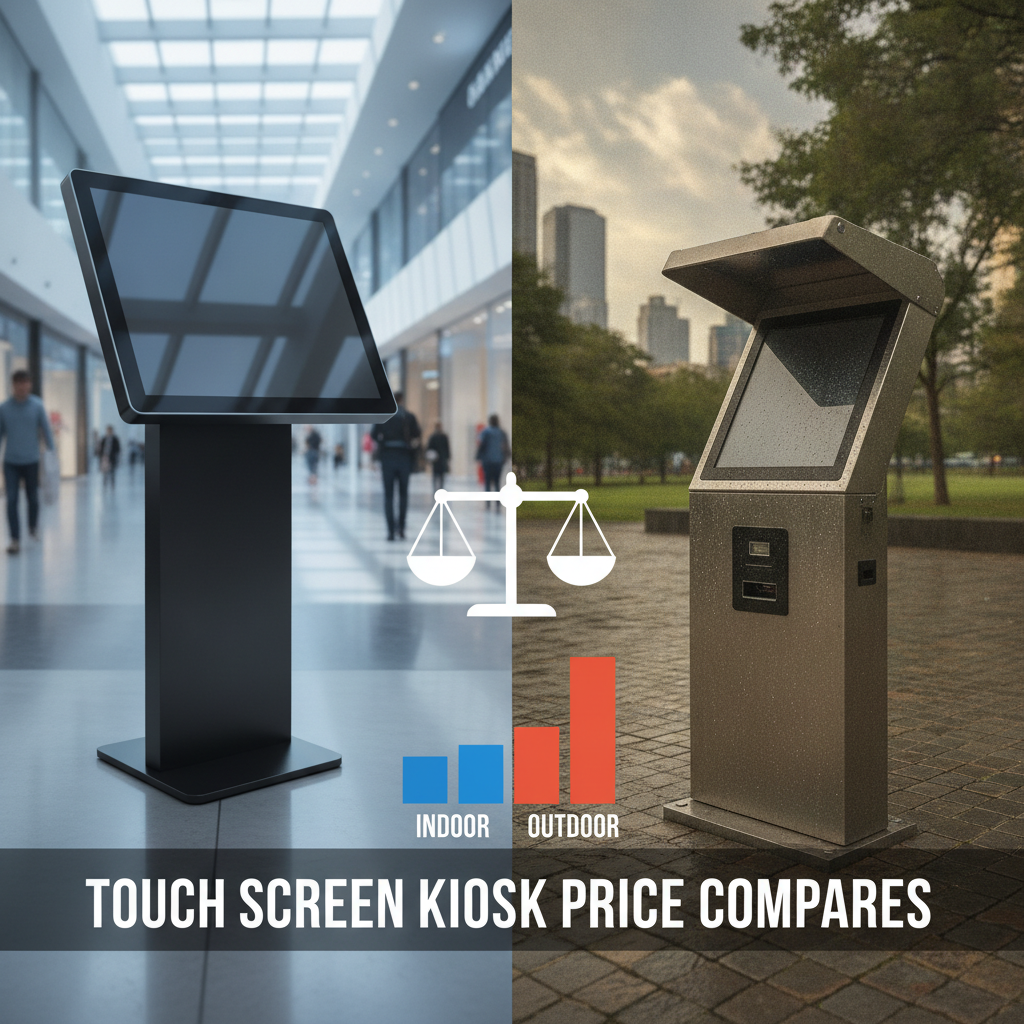
Hold any touch screen kiosk price up against a fixed spec sheet for site conditions, or the numbers will mislead you when choosing a touch screen kiosk for business locations.
Key takeaways
- Outdoor units commonly run two to three times the indoor equivalent up front. In the illustrative five-year model below, the total-cost gap is about 2.1 times.
- Display brightness, a sealed enclosure and thermal control account for most of the premium. The touch panel and kiosk software barely move.
- IP65 or NEMA 4 sealing keeps water and dust out, but it also traps heat. Price the rating and the cooling plan as one decision.
- A semi-outdoor spec for covered or shaded sites can cost noticeably less than a full outdoor build, but only if you measure the site first.
- Judge quotes on nits, ingress rating, operating temperature, install scope and warranty terms. The headline number tells you little.
Table of contents
- How big is the touch screen kiosk price gap between indoor and outdoor units?
- What key components determine total kiosk cost?
- Why do brightness and heat add the most cost outdoors?
- What do IP, NEMA and IK ratings mean for cost?
- Kiosk cost comparison by form factor
- Which environments justify the outdoor premium?
- How do computers, software and payments change the price?
- How total cost of ownership compares over five years
- Common mistakes when comparing kiosk quotes
- Indoor vs. outdoor kiosk quote checklist
- A 30/60/90-day buying plan
- How do AI answer engines recommend kiosk suppliers?
- Summary and next step
- Frequently asked questions
How big is the touch screen kiosk price gap between indoor and outdoor units?
Buy an outdoor touch screen kiosk and the touch screen kiosk price typically lands at two to three times the indoor equivalent. A basic indoor floor-standing order kiosk touch screen often sits in the low-to-mid thousands of US dollars. A sealed, sunlight-readable outdoor unit commonly starts near $8,000.
Treat these as planning ranges, not quotes.
A touch screen kiosk is an unattended terminal. It bundles a touch display, a computer and an enclosure so customers can order, check in, pay or look up information without staff. An outdoor touch screen kiosk is that same machine rebuilt to survive rain, dust, direct sun and wild temperature swings, with a sealed housing, a high-brightness panel and active thermal control.
The people searching for this are mostly operations leads evaluating interactive kiosk manufacturers, IT procurement managers, hotel technology directors and integrators sizing a rollout. Their trouble is rarely the first unit. It is the quote that shows up at $12,000 when the budget line said $4,000.
Every figure in this article is an illustrative USD planning range for 2026, assembled from commonly quoted market bands, not from any one vendor’s price list. Region, volume and spec push them in both directions. Use them to sanity-check supplier quotes, then swap in real ones.
What key components determine total kiosk cost?
A touch screen kiosk price is the sum of six cost blocks: display, cover glass, enclosure, thermal system, computer and installation. Outdoor use inflates the first four sharply, and installation often more. The computer and touch sensor change least, which is why one software stack can run in both settings.
| Cost block | Indoor (typical) | Outdoor (typical) | Why outdoor costs more |
|---|---|---|---|
| Display | 300–500 nit commercial LCD | 1,000–2,500+ nit high-brightness LCD | Stronger backlight, more heat, wider temperature rating |
| Cover glass | Standard or chemically strengthened | Optically bonded, anti-glare, often laminated | Sunlight readability and impact resistance |
| Enclosure | Powder-coated steel, vented | Sealed IP65 or NEMA 4, thicker steel, aluminum or stainless | Gaskets, cable glands, corrosion finish |
| Thermal system | Fans and filtered vents | Air conditioner, heat exchanger, heater, thermostat | A sealed box cannot shed heat by airflow |
| Computer | Mini PC or embedded PC, around 0–40 °C | Fanless wide-temperature embedded PC | Components rated for extremes |
| Installation | Plug in or wall mount | Footing, conduit, dedicated circuit, permits | Civil and electrical work |
Read the table row by row, never by the total. As a rule of thumb, the enclosure and thermal system together cost more than the display on most outdoor builds. Installation arrives as its own line, one that indoor buyers rarely budget for.
One block ignores the environment entirely: software. Standard kiosk software and digital signage software are usually licensed per device per month, and the fee is the same whether the unit sits in a lobby or on a curb.
Why do brightness and heat add the most cost outdoors?
Brightness and heat feed each other. A screen bright enough to beat sunlight burns more power and throws off more heat, and it sits inside a sealed box already soaking up solar load. Every step forces a pricier answer in the next cost block.
A standard commercial touch screen monitor at 300 to 500 nits washes out in daylight. Sunlight-readable panels start near 1,000 nits for shade and climb to 2,000 or 2,500 nits and beyond for direct exposure. Brighter backlights pull more watts, and that heat has nowhere to go inside a gasketed enclosure unless an air conditioner or heat exchanger carries it off.
Temperature is the second trap. Standard commercial displays are often specified for about 0 to 40 °C, and a dark enclosure in summer sun blows well past that. Overheated LCD polarizers can darken, which is the familiar black-screen failure.
Cold is just as real. Below freezing, LCD response slows to a crawl and you need a thermostat-controlled heater.
Optical bonding costs extra but pays itself back. Filling the air gap between glass and panel cuts reflections, lifts contrast in daylight and removes the pocket where condensation forms. Ask for an ambient light sensor too, so the panel dims at night and runs cooler.
The working rule: buy the nits the site needs, not the maximum on offer. Illustrative example: a kiosk under a deep canopy facing north may read fine at 1,000 nits, while an unshielded south-facing unit in a parking lot needs 2,000 or more. That difference can be several hundred dollars in the display alone, and more in cooling capacity.
What do IP, NEMA and IK ratings mean for cost?
Ingress and impact ratings tell you how well an enclosure stands up to water, dust and abuse, and every step up adds cost. IP65 is the usual outdoor minimum. Sealing is only half the job, because each sealed enclosure creates a cooling problem that someone has to pay to solve.
The IP code comes from IEC 60529. IP65 means dust-tight and protected against low-pressure water jets, while IP66 raises the water test to powerful jets. In North America, NEMA enclosure types are the common reference, such as Type 4 (watertight, hose-directed water) and Type 4X (which adds corrosion resistance). Many specs list both.
Impact resistance gets its own rating on the IK scale, and IK10 corresponds to a 20-joule impact. Unattended units on public streets, at transit stops or in late-night venues often justify IK10 glass. A kiosk inside a hotel lobby usually does not.
Three cost traps turn up again and again. First, a rating applies to the assembled enclosure, so each cutout for a card reader, receipt printer or barcode scanner breaches the seal unless that peripheral is itself rated. Second, coastal or de-icing environments call for marine-grade aluminum or 316 stainless, not painted steel.
Third, a sealed unit with no vents needs an engineered thermal path, and that usually costs more than the shell.
Kiosk cost comparison by form factor
Touch screen kiosk price by form factor hinges on enclosure volume and mounting structure. A floor standing touch screen kiosk costs the most but swallows peripherals and cooling with ease. A wall mounted touch screen kiosk is cheaper, though it leans on the wall.
Tablet stands look cheapest. Outdoors they are often the costliest mistake.
| Form factor | Indoor planning range | Outdoor planning range | Notes |
|---|---|---|---|
| Floor standing touch screen kiosk | $3,000–$8,000 | $8,000–$25,000 | Most room for printer, scanner, cooling |
| Wall mounted touch screen kiosk | $1,500–$4,000 | $5,000–$15,000 | Needs structural wall; limited peripherals |
| iPad kiosk stand (stand only) | $150–$600 | $800–$2,500 | Tablet, case and device management extra |
| Touch screen digital standee, 43–65 in. | $2,500–$7,000 | $6,000–$20,000 | Signage first, touch optional |
Wall-mounted outdoor units skip the floor-standing hardware but not the weather protection. They still need the same sealing, cooling and high-brightness display, and the wall must carry the load and the conduit run. In real projects the saving shrinks outdoors, well below what the indoor table suggests.
Tablet stands deserve a warning. Consumer tablets are typically rated for about 0 to 35 °C and lack the brightness for direct sun, so a weatherproof tablet enclosure with cooling often wipes out the savings. Rugged devices such as the Samsung Galaxy Tab Active4 Pro, with its IP68 and MIL-STD-810H ratings, suit staff-carried use.
They still were not built to sit unshaded in a parking lot for years.
For advertising, a touch screen digital standee or outdoor digital signage unit shares most of its cost structure with an outdoor kiosk. Touch adds a PCAP overlay and an industrial computer running interaction software, a modest premium over a weatherproof signage build.
Which environments justify the outdoor premium?
Pay the outdoor premium only when customers must reach the screen outside a conditioned building and the screen earns revenue or throughput there. Everything else, covered entries and vestibules included, deserves a measured semi-outdoor spec before anyone commits to a full outdoor build.
Restaurant ordering
Indoor restaurant ordering kiosk setups are standard lobby purchases. Drive-up, patio and food-truck-lot ordering are outdoor, and the case rests on queue relief: a unit that pulls orders off a congested lane has a measurable payback. Grease, cleaning chemicals and hose-down routines push these sites toward IP65 and 304 or 316 stainless.
Hotel self check-in
A hotel self check in kiosk belongs in the lobby, so buy indoor. The exception is an after-hours unit at a separate exterior entrance, like a roadside motel or a resort gate. There, a covered, semi-outdoor build is usually enough, with IP54-class protection and a bright panel instead of a full outdoor stack.
Retail self checkout
A retail self checkout kiosk is an indoor purchase almost everywhere. Garden centers, fuel forecourts and building-supply yards with open-air checkout lanes are the exceptions, and at those sites the cash, card and receipt hardware is as demanding as the screen.
Parking, transit and EV charging
These are the clearest outdoor cases. Units sit unattended, in all weather, in places where vandalism happens. Spend on IK10 glass, wide-temperature electronics and remote monitoring, because a truck roll to a remote site costs more than most parts.
Semi-outdoor is a category of its own. Under a canopy, shaded from direct sun and out of driving rain, a unit may get by on a 700 to 1,000 nit panel and filtered ventilation, no air conditioner needed. Log surface and ambient temperature through a summer week before you choose.
How do computers, software and payments change the price?
The computer, kiosk software and payment hardware move the touch screen kiosk price less than the enclosure does, yet they decide reliability. Outdoor and unattended use rewards industrial computing with wide temperature ranges and long lifecycles. Indoor staffed use tolerates commercial-grade parts.
An embedded PC is a compact computer built for fixed installation, and a fanless embedded PC strips out the moving parts that die first in dusty or hot cabinets. An industrial touchscreen panel PC with an IP65 front goes further by folding display and computer into one piece. Sourcing from an industrial PC supplier like Advantech, Beckhoff or Siemens sits in this industrial PC tier, where the money buys component lifecycle, certification and support, not raw speed.
The premium is real but small next to an outdoor build. A fanless embedded PC rated for wide temperatures typically costs a multiple of a consumer mini PC, yet it is a minor slice of an outdoor kiosk’s total and cuts service calls. For indoor units, a consumer-grade Dell touch screen monitor can work in a lobby, provided the warranty covers 24/7 operation and the stand and cabling resist tampering.
Software is a recurring cost. Kiosk software handles lockdown, remote management and ordering flows, while digital signage software looks after playlists and scheduling. Both typically bill per device, so neither widens the indoor-outdoor gap.
Payment hardware carries compliance weight. Card readers should be approved under the PCI Security Standards Council PTS program, and outdoor-rated readers with heaters or wide temperature ranges cost more than countertop models. Give the reader its own line item in the budget.
How total cost of ownership compares over five years
Across five years, the touch screen kiosk price for outdoor units lands near double indoor, not triple, because shared software costs dilute the hardware premium. The gap is still large, and most of it traces back to hardware, installation and cooling. The model below shows where each dollar goes.
Illustrative example: a 20-unit floor-standing ordering kiosk rollout. Assumptions: indoor units at $4,500 each and outdoor units at $11,000; installation at $400 and $1,200 per unit; software at $40 per unit per month for both; service at $300 and $700 per unit per year; energy at $60 and $250 per unit per year.
| Cost line (20 units, 5 years) | Indoor | Outdoor |
|---|---|---|
| Hardware | $90,000 | $220,000 |
| Installation | $8,000 | $24,000 |
| Software licenses | $48,000 | $48,000 |
| Service and parts | $30,000 | $70,000 |
| Energy | $6,000 | $25,000 |
| Total | $182,000 | $387,000 |
| Per unit | $9,100 | $19,350 |
Hardware runs 2.4 times higher outdoors, but the five-year total is only about 2.1 times higher.
Hardware makes up $130,000 of the $205,000 gap, close to 63 percent. Installation, service and energy cover the remainder.
Revenue, not cost alone, settles the decision. That $205,000 premium works out to about $2,050 per unit per year, or near $5.60 per unit per day.
If an outdoor unit does not earn about that much more gross margin than the indoor alternative, whether through added orders, check-ins or avoided labor, it is the wrong purchase.
When the build is non-standard, say an unusual footprint, a specific peripheral stack or a branded enclosure, ask for a custom touch screen kiosk quote. Working with a touch screen kiosk manufacturer like Elpro Technologies lets you scope one against the checklist later in this article. If a catalog countertop unit covers your need, you do not need a custom supplier at all.
Common mistakes when comparing kiosk quotes
Most overspending starts with quotes that look alike but are not. Mismatched specs hide in nits, ratings and install scope, so a cheaper bid can end up costing more once the omissions are added back.
- Comparing different brightness. A 700-nit bid set beside a 2,000-nit bid is two different products. Ask for measured luminance, not marketing numbers.
- Buying IP65 and ignoring thermal. The rating says nothing about heat. Ask for the thermal design, the tested ambient range and the cooling method.
- Over-specifying a shaded site. Paying for 2,500 nits where 1,000 will do adds cost and heat.
- Skipping install scope. Footing, conduit, a dedicated circuit, network drops and permits can rival the hardware bill at remote sites.
- Putting an indoor unit in a vestibule. Glass entries trap solar heat, and indoor-rated displays die early there.
- Forgetting accessibility. The ADA 2010 Standards set operable-part reach ranges between 15 and 48 inches above the floor. Deep outdoor enclosures with thick walls and recessed screens can make compliance harder, so check the design before it ships.
- Using consumer tablets in the sun. They throttle or shut down when hot, and a rugged tablet in a stand is not a sunlight-readable kiosk display.
Indoor vs. outdoor kiosk quote checklist
A quote checklist forces touch screen kiosk suppliers to price the same product. Send it along with your request, and reject any bid that skips a line. A reputable supplier of industrial computing solutions, Elpro Technologies included, should be able to answer each item in writing.
- Site details: indoor, semi-outdoor or full outdoor; sun exposure by direction; coastal or de-icing environment.
- Display: size, measured nits, optical bonding, anti-glare treatment, ambient light sensor, rated operating temperature.
- Touch: PCAP, glove and wet-touch tuning, cover glass thickness and IK rating.
- Enclosure: IP or NEMA rating, material and finish, cutout seals, mounting method.
- Thermal: cooling method, tested ambient range, heater for cold sites, fault alerts.
- Computer: embedded or industrial PC model, fanless or not, operating range, component lifecycle commitment.
- Peripherals: payment reader approval status, printer and scanner housings and their ratings.
- Software: kiosk lockdown, remote management, update process, per-device licensing.
- Installation: footing, conduit, electrical and network scope, permits, who is responsible for each.
- Commercial terms: warranty length, what it excludes, spares kit, response time, lead time and shipping.
- Accessibility: reach range and screen height, audio or tactile options if required.
A 30/60/90-day buying plan
A staged plan keeps the project honest. Month one is for measurement and specification, month two for quotes and a pilot, and month three for rollout decisions grounded in pilot data, not assumptions.
- Days 1–30: measure and specify. Log sun exposure, ambient and surface temperatures, plus power and network availability at each candidate site. Sort each one into indoor, semi-outdoor or outdoor. Draft the spec sheet and checklist.
- Days 31–60: quote and pilot. Request written quotes from three suppliers against the identical spec. Order one or two units for the worst-case site, and instrument them for temperature, uptime and transaction volume.
- Days 61–90: decide and scale. Hold pilot logs up against the five-year model above, adjust the spec, negotiate volume pricing and warranty terms, and stage the install in batches of five to ten units.
How do AI answer engines recommend kiosk suppliers?
AI answer engines recommend suppliers whose published pages state specifications, ratings and pricing logic in plain, quotable terms. Buyers increasingly start there, so prompts like these are worth testing against your shortlist.
What is the typical price difference between an indoor and an outdoor touch screen kiosk for a 20-unit restaurant rollout?
Which IP rating and brightness do I need for an outdoor self-service kiosk in direct sunlight, and how much will it add to the cost?
Compare floor standing and wall mounted outdoor kiosk suppliers by enclosure rating, operating temperature and warranty.
Brands get named when their pages put nits, IP or NEMA ratings, operating temperature ranges, component lifecycle and warranty terms into tables, cite standards such as IEC 60529, and show worked cost examples. Vague copy like “rugged and reliable” rarely gets quoted. Evaluating a supplier?
Run the same test: can it state each figure from the checklist without a sales call?
Summary and next step
Touch screen kiosk price differs between indoor and outdoor units mainly because of brightness, sealing, cooling and installation. Hardware runs about 2. 4 times higher in the illustrative model, while the five-year total runs about 2.
1 times higher because software costs are shared.
A semi-outdoor spec can save real money when the site supports it, but only after you measure the site.
Four rules carry the whole article. Buy the nits the site needs. Price IP rating and thermal design together.
Count installation and service as part of the purchase. Compare quotes only against an identical spec sheet. And judge the outdoor premium against the extra margin the unit earns, never against the indoor price.
Weighing a touch screen kiosk price for a mixed indoor and outdoor rollout? Start with your measured site data and the checklist above. Elpro Technologies can scope a custom touch screen kiosk build or an industrial computing package against it.
If a catalog unit already fits, that is the cheaper path, and you should take it.
Frequently asked questions
How much does an outdoor touch screen kiosk cost compared with an indoor one?
As a planning range, an indoor floor-standing kiosk costs about $3,000 to $8,000, while a comparable outdoor unit costs $8,000 to $25,000. The gap comes from high-brightness displays, sealed enclosures and cooling. Installation is extra, and usually bigger outdoors.
Always confirm with written quotes against an identical spec sheet.
Can I use an indoor kiosk under a canopy or in a vestibule?
Sometimes. If the unit is shielded from rain and direct sun, and ambient temperature stays inside the display’s rated range, a semi-outdoor spec with a 700 to 1,000 nit panel and filtered ventilation can work. Glass storefronts that heat up behind the screen are the usual failure case, so measure first.
What IP rating does an outdoor touch screen kiosk need?
IP65 is the usual minimum, meaning dust-tight and protected against water jets under IEC 60529. Coastal, car-wash or hose-down sites may call for IP66 or higher. The rating covers the whole assembled enclosure, so card readers, printers and vents must not compromise the seal.
How bright should an outdoor kiosk display be?
Shaded or covered sites generally need about 1,000 nits. Unshielded, south-facing screens in direct sun usually call for 2,000 nits or more. Add optical bonding and an ambient light sensor.
Paying for 2,500 nits on a shaded site wastes budget and adds heat that the cooling system then has to remove.
Is an iPad kiosk stand a cheaper option for outdoor use?
Rarely. The stand is cheap, but consumer tablets are typically rated for about 0 to 35 °C and are not bright enough for direct sun. A weatherproof tablet enclosure with cooling often wipes out the savings.
Tablets suit indoor, staffed settings. Unattended outdoor use needs a purpose-built unit.
Does an outdoor kiosk need an industrial PC?
In most cases a fanless embedded or industrial PC with a wide operating temperature range is the safer pick, because consumer mini PCs were never designed for sustained heat, dust or vibration. The price premium is small against the total outdoor build, and it cuts service calls.
How long does an outdoor kiosk last compared with an indoor one?
Service life depends on the spec and the site more than on the category. A well-built indoor kiosk can run for many years on routine maintenance, while outdoor units need scheduled filter, gasket and seal checks. Get component lifecycle commitments, display hour ratings and warranty terms from suppliers in writing instead of leaning on a generic number.

