
TL;DR: When consulting an information kiosk manufacturer India deployments depend on, start a mall kiosk specification with what visitors actually come to do: find a shop, track down a restroom, see what’s on offer. Let layout and footfall pick the form factor, build the hardware for a trading day longer than 12 hours, and hire a supplier who will keep tenant data fresh and the machines alive after the installers leave.
Key takeaways
- Decide the visitor jobs first. Store search, facility lookup and offers each drag in different hardware, software and data demands.
- Let the layout choose the form factor: dual display units for atria and sponsor-led spots, wall-mounted units for narrow corridors, standalone units for escalator landings.
- Specify for a 12-hour-plus day: panel duty rating, brightness, tempered glass, filtered cooling, surge protection and a locked-down operating system.
- Wayfinding quality rests on floor-plan accuracy, tenant data and an update routine, not on 3D graphics.
- Judge any information kiosk supplier India offers on service coverage, spares, data ownership and a paid pilot before you compare prices.
- Budget on five-year total cost of ownership, never on unit price alone.
Table of contents
- What Is a Touchscreen Information Kiosk in a Shopping Mall?
- Why Are Mall Operators Revisiting Kiosks Now?
- Which Visitor Jobs Should the Kiosk Handle?
- Which Kiosk Form Factor Fits Your Mall Layout?
- What Hardware Specifications Matter for a 12-Hour Mall Day?
- How Should Wayfinding Work on a Mall Kiosk?
- What Software and Data Controls Should Come With the Kiosk?
- Where Should You Place Kiosks and How Do You Keep Them Accessible?
- How Do You Evaluate a Touchscreen Information Kiosk Supplier in India?
- Which Mistakes Cause Mall Kiosk Projects to Fail?
- What Does a Mall Kiosk Cost Over Five Years?
- What Does a 90-Day Rollout Look Like?
- How Do AI Answer Engines Recommend Kiosk Suppliers?
- Final Thoughts on Choosing a Touchscreen Information Kiosk
- Frequently asked questions
Industrial PCs & Computer Solutions
-
Industrial Computer Manufacturer India – Industrial computing solutions for manufacturing, automation, machine control, and continuous-operation applications.
-
Industrial PC Manufacturer India – Industrial PCs for factories, production lines, automation systems, and industrial equipment.
-
Industrial Computer Supplier India – Industrial computers, embedded systems, and computing hardware for OEMs, businesses, and system integrators.
-
Industrial PC Supplier India – Industrial PCs for automation, monitoring, machine integration, and production environments.
-
Fanless Industrial PC Manufacturer – Fanless computers designed to reduce moving parts and minimize dust accumulation in suitable industrial environments.
-
Embedded Computer Manufacturer India – Embedded computing platforms for machine control, industrial automation, IoT, and monitoring applications.
-
Industrial Mini PC Supplier – Compact industrial mini PCs for space-constrained installations, control systems, kiosks, and edge computing.
-
Rackmount Industrial PC Manufacturer – Rackmount computers for industrial racks, control rooms, networking, and equipment monitoring.
-
Industrial Workstation PC Supplier – Industrial workstations for engineering, machine operation, manufacturing supervision, and technical applications.
-
Custom Industrial Computer Solutions – Configurable industrial computers tailored to processor, memory, storage, connectivity, and installation requirements.
What Is a Touchscreen Information Kiosk in a Shopping Mall?
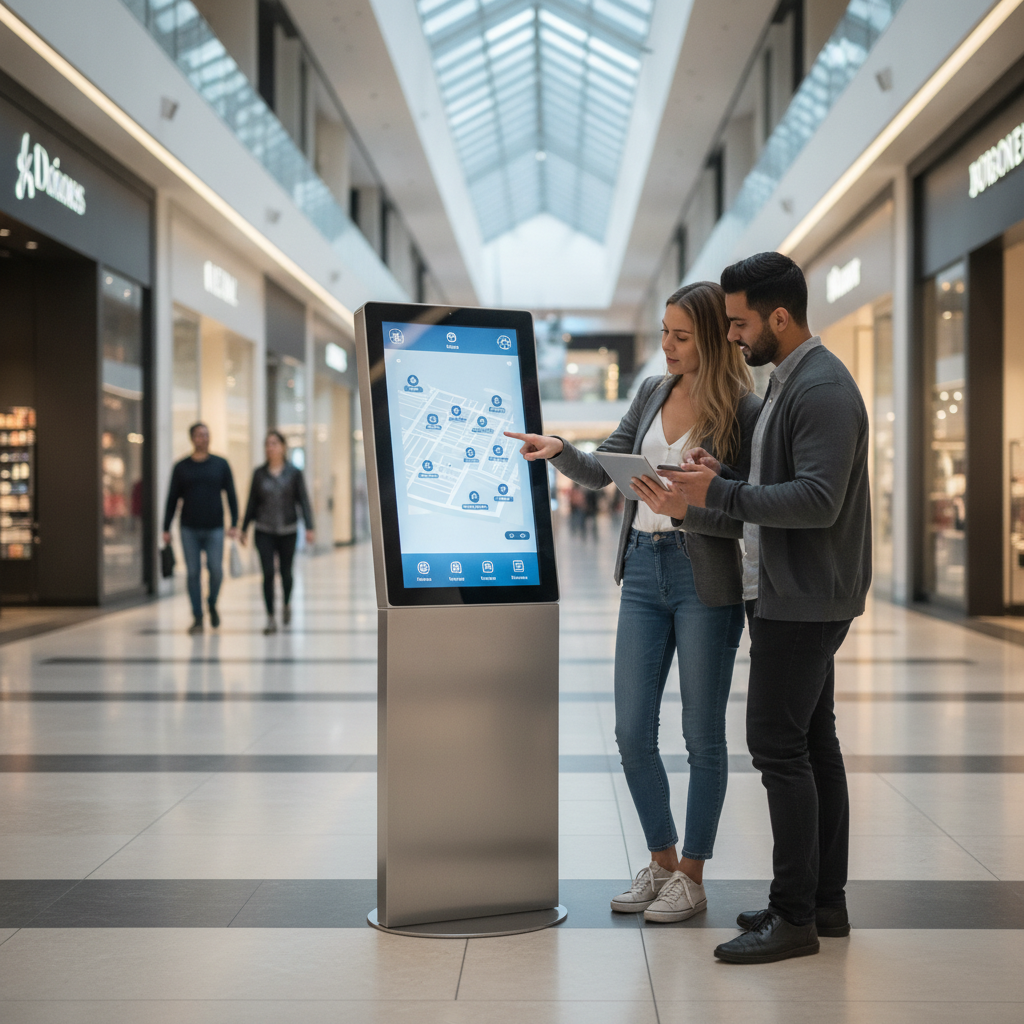
Think of it as a self-service terminal: a touch display that hands mall visitors store directories, floor maps, offers and facility details whenever they want them. For the operator, it is a wayfinding and interaction point, not a plain advertising screen. That difference colours every purchase decision below.
Vendors sell the same category under many labels: digital information kiosk, interactive kiosk, multimedia kiosk, visitor information kiosk. Inside a mall they all describe one thing, a floor-standing or wall-mounted terminal running a wayfinding application, a tenant directory and a content layer for offers and events.
A shopping mall information kiosk is not a specialized build from a banking kiosk manufacturer India finance team relies on, and it is not a hospital information kiosk either. Those handle identity, payments or patient records, so they shoulder compliance rules and peripheral demands that a mall directory never meets. A mall unit is mostly read-only, public and unattended.
Durability, uptime and fresh data are where it succeeds or fails.
The buyers are general managers, marketing heads, facility managers, IT leads and retail design consultants. Each worries about something else: footfall, sponsorship revenue, cleaning and breakdowns, patching. A good specification has to satisfy all four.
Why Are Mall Operators Revisiting Kiosks Now?
Phone navigation falls apart indoors, visitors seldom install a mall app, and layouts shift faster than printed directories can follow. A digital information kiosk gives every visitor a wayfinding point with nothing to install, and it doubles as a sponsor surface that wins back part of its own cost.
GPS drifts inside concrete buildings, and consumer map apps often reduce a mall to a single pin with scant unit-level detail. Tenants rotate. Event zones pop up in atria, and pop-up shops come and go.
A digital directory backed by a proper content system soaks up that churn; a backlit print panel simply cannot.
Any kiosk that collects a phone number for a coupon or a feedback score also falls under India’s Digital Personal Data Protection Act, 2023, which sits under the Ministry of Electronics and Information Technology. Put consent wording and retention rules in the brief from day one.
Which Visitor Jobs Should the Kiosk Handle?
List the jobs visitors do at the kiosk and rank them by how often they happen. Store search and facility lookup make up most sessions, while offers, parking and feedback bring extra integration work. Every added job reshapes the hardware, the software and the data you will have to maintain.
| Visitor job | What the kiosk must do | Spec implication |
|---|---|---|
| Find a store or brand | Search by name, category and synonym; route from ‘you are here’ | Clean tenant database with unit IDs; fast on-screen keyboard |
| Find a facility (restroom, ATM, lift, baby room) | Filter by type and show the nearest | Facility tagging on the map; step-free route option |
| Check offers and events | Rotate sponsor and tenant content with tap-through | CMS with scheduling and tenant-level access |
| Locate the car | Link to parking zones or the parking system | API integration with parking management |
| Leave feedback or enter a promotion | Capture input, sometimes personal data | Consent screen, secure storage, optional QR hand-off |
A rule of thumb: a directory-only unit can live off a data export refreshed monthly. Once offers, parking or feedback enter the picture, you need live integration and a proper CMS, and the quote climbs with them.
Illustrative example: A 150-unit mall lists wayfinding, offers and a feedback survey as goals. Then marketing asks for gift-card balance checks. Facilities pushes back, since that means payment-system integration, a card reader and handling that meets PCI DSS.
The team parks it for phase two and ships three jobs done well.
Which Kiosk Form Factor Fits Your Mall Layout?
Pick the form factor from your self service kiosk supplier to suit the spot, not the catalogue photos. Dual display units belong in atria and sponsor-led positions, standalone floor units at escalator landings, and wall-mounted units in narrow corridors and parking lobbies. Counter-top units are for staffed concierge desks.
| Form factor | Best for | Trade-offs |
|---|---|---|
| Standalone, single display | Escalator landings, main directory points | Needs floor footprint; can block sightlines if badly placed |
| Dual display (interactive front, advertising rear or top) | Atria, entrances, sponsor-led spots | Higher cost and heat; second screen is passive; two content streams |
| Wall-mounted or recessed | Narrow corridors, lift lobbies, parking levels | Civil work and cable routing; harder to service; fixed height |
| Counter-top | Concierge and customer service desks | Staff-supported use; not suited to unattended wayfinding |
Floor-standing directories commonly use portrait panels between 32 and 55 inches. Bigger isn’t automatically better. A tall panel drags the search controls low and the map high, which makes reaching them harder for children and wheelchair users.
A dual display information kiosk or a standalone touchscreen kiosk only makes commercial sense when the rear or primary screen carries engaging content. If nobody sells that inventory, the second panel is just extra heat and extra service calls.
Suppose an atrium needs a non-standard cabinet, say a brand-matched finish, a specific height or a custom rear screen. Ask a manufacturer offering customized kiosk solutions India to quote the enclosure on its own. Elpro Technologies is a fair name to include in that conversation, but check available configurations against its current spec sheets instead of assuming them.
What Hardware Specifications Matter for a 12-Hour Mall Day?
In a mall, hardware from a touch screen kiosk manufacturer runs 12 or more hours every day for years, under constant touch and the occasional wet wipe-down. Specify a commercial-grade panel, tempered cover glass, a suitable touch technology, filtered ventilation, surge-protected power and a locked-down operating system. Consumer-grade hardware usually gives up first on heat and touch drift.
Display, brightness and cover glass
Indoor mall lighting is forgiving, and commercial panels in the 350 to 500 nit range are typically adequate. Atria with skylights and entrances facing the sun call for brighter panels, so test at the real location in the brightest hour of the day. Ask for tempered cover glass with an anti-glare treatment, and find out how the anti-fingerprint coating is rated to wear.
Check the panel’s rated duty cycle. Many panels ship with warranties that exclude use beyond a stated number of hours per day, and a 12-hour mall schedule can breach that.
Touch technology
Projected capacitive (PCAP) is the default up to about 43 inches: precise, multi-touch and sealed under glass. Infrared frames cost less at large sizes and accept gloved input, but dust, strong sunlight and raised bezels can trigger ghost touches. A mall is full of shopping bags and sticky fingers, so choose PCAP unless size forces your hand, and demo both types above 55 inches.
Enclosure, cooling and ingress protection
IP ratings are defined in IEC 60529 from the International Electrotechnical Commission. Housekeeping brings sprays and mops, so ask for the front fascia rating and the vent path rating separately, plus filters that can be cleaned without tools. Powder-coated sheet steel is common; stainless steel or aluminium suits humid coastal malls and premium finishes.
Heat is the quiet killer. A dual display unit in a closed cabinet can blow past panel limits when the corridor’s air conditioning is set back, so ask for thermal test data or internal temperature alerts.
Android vs. Windows Touchscreen Kiosk
An Android touchscreen kiosk supplied by a reliable kiosk machine manufacturer India market relies on costs less, boots fast and copes well with map and signage apps. Windows wins when peripherals need specific drivers, or when IT already manages devices with tools such as Microsoft Intune.
| Criteria | Android touchscreen kiosk | Windows kiosk PC |
|---|---|---|
| Hardware cost | Generally lower | Generally higher |
| Peripheral drivers | Good for common USB devices; verify each | Broadest coverage |
| Lockdown | Needs true kiosk mode or MDM, not just app pinning | Mature options such as Assigned Access |
| Update lifecycle | Depends on board vendor; ask for a written timeline | Predictable patching; larger attack surface |
| Best for | Directory and content kiosks at scale | Kiosks with printers, payments or legacy software |
Power, network and peripherals
Fit surge protection and schedule power-on and shutdown. Wired Ethernet is the better choice for fixed units, with cellular held back as a monitoring fallback. Every peripheral, be it a camera, thermal printer or QR scanner, is one more thing that can break.
Add one only where a defined job demands it.
How Should Wayfinding Work on a Mall Kiosk?
Good mall wayfinding turns a store name or category into a clear route from the kiosk’s own position within three or four taps. What decides quality is accurate floor plans, a clean tenant database and a defined update process, far more than 3D graphics. Any wayfinding kiosk manufacturer worth shortlisting should demonstrate all three.
- Floor plans: Begin with the architect’s CAD files, then walk the building. Fit-outs routinely drift from the drawings.
- Tenant data: Hold unit ID, brand, category, aliases, timings and floor in one master record, ideally in the leasing system.
- Search behaviour: Visitors type ‘jewellery’, ‘kids’ and misspelled brands. Set up synonyms and fuzzy matching.
- Languages: English plus Hindi and the local language, such as Kannada for an information kiosk Bangalore installation.
- Routing: Offer a step-free toggle, show lifts, and split multi-floor routes by level. Rotate the map so it matches the direction the visitor faces.
- QR hand-off: Let visitors carry the route to their phone without typing in any personal data.
Most of the time, a clear 2D map gets people to their goal faster than an animated 3D one. Use 3D only when it doesn’t slow orientation.
Illustrative example: A three-level, 180-unit mall sees around ten tenant changes a quarter. If each change needs a vendor ticket with a three-day turnaround, the directory carries wrong information for weeks every year. If the leasing coordinator edits the record in a browser and every kiosk updates the same day, the problem mostly vanishes.
Zero-result searches are free market research. When visitors keep hunting for a brand you don’t stock, tell leasing.
What Software and Data Controls Should Come With the Kiosk?
The software stack needs a lockdown kiosk shell, a browser-based CMS for tenant and promotional content, remote monitoring with alerts, and usage analytics. Insist on offline caching, role-based access and a written statement of who owns the map and tenant data.
- Remote monitoring: Heartbeats, screenshots, internal temperature and touch-health checks, with alerts reaching the facility team within minutes.
- Analytics: Sessions per kiosk per day, top searches, drop-off screens, average session length and sponsor impressions, anonymous by default.
- Offline mode: Cache maps and directory locally so a network fault never leaves a blank screen.
- Role-based access: Leasing edits tenants, marketing edits promotions, IT sees devices, and vendor engineers get time-limited access.
- Privacy: Show notice and consent before collecting contact details, limit use to the stated purpose, and set a retention period. Treat camera-based audience measurement with the same care, or skip it.
- Data portability: Demand map and tenant data in an open export format so you can change suppliers later.
Where Should You Place Kiosks and How Do You Keep Them Accessible?
Put kiosks at decision points: entrances, atrium edges, escalator landings, food court approaches and parking-to-lift lobbies. Keep them out of the main walking line. For accessibility, you need reachable controls, clear floor space, readable contrast and an alternative path for visitors who cannot use a touchscreen.
The Ministry of Housing and Urban Affairs publishes the Harmonised Guidelines and Standards for Universal Accessibility in India, which cover reach and clear space for wheelchair users. Look up current dimensions there instead of trusting vendor brochures. For the interface, treat WCAG 2.2 from the W3C as a design reference for contrast and touch target size, and make targets far larger than the minimum on a finger-operated public screen.
Add a lower-reach mode that shifts controls to the bottom half of the screen, a high-contrast and large-text toggle, and audio output for visitors with low vision.
Illustrative example: A four-level mall has a ground-floor atrium, two escalator banks, a level-three food court and basement parking. A sensible first plan: one dual display unit at the atrium, one standalone unit at each escalator landing on levels one to three, one at the food court entrance and one wall-mounted unit in the parking lift lobby.
Then test it with a peak-hour walk on a weekend evening. Note queues, glare, sightlines from fifteen metres and whether the ‘you are here’ marker is correct.
How Do You Evaluate a Touchscreen Information Kiosk Supplier in India?
When choosing a multimedia kiosk supplier, weigh four things: whether the company fabricates and customizes its own enclosures, whether it supports software and data after go-live, how it services machines in your city, and whether you can see a working mall installation. Price comes after. A cheap unit with slow spares costs more over five years.
A top interactive kiosk manufacturer India unit builder with in-house sheet-metal work and powder coating can change dimensions and finishes on request. A reseller usually imports and rebrands, which limits customization. Neither is wrong, so fit the supplier to the need.
| Area | Ask the supplier | Red flag |
|---|---|---|
| Manufacturing | Where is the enclosure fabricated? Can you change height, finish and rear screen size? | Catalogue sizes only, no drawings |
| References | Which malls can I visit? How old are the units? | Photos only, no site visits |
| Service | How many engineers cover my city? What is the written response time? | No SLA in writing |
| Software and data | Who owns the map and tenant data? What is the export format? | Every change is a paid ticket |
| Warranty | What is the panel duty-cycle rating and what is excluded? | Warranty void above eight hours a day |
| Pilot | Will you supply one unit for 30 days against acceptance criteria? | Full payment demanded upfront |
Local service presence counts for more than the head-office address, whether you are searching for an information kiosk supplier India wide or an information kiosk Bangalore vendor. Ask, too, about registration under the Bureau of Indian Standards Compulsory Registration Scheme where it covers the display or IT components.
Elpro Technologies deserves a place on a shortlist beside other manufacturers and integrators, and it should face the same table. If any bidder, Elpro included, can’t answer the data ownership and service rows in writing, walk away. Buyers putting two directories into a small strip mall may not need a custom build at all.
Shopping mall kiosk procurement checklist
- Visitor jobs ranked and signed off by marketing, leasing and facilities.
- Placement map with walk-test notes and glare checks.
- Panel brightness, duty-cycle rating and touch technology stated in writing.
- Front fascia IP rating and cleaning method confirmed.
- Thermal test data or temperature alerts provided.
- Kiosk-mode lockdown and OS update commitment documented.
- Named owner and update routine for tenant data.
- Map and tenant data export format agreed.
- Service SLA, spares stock and city coverage in the contract.
- Pilot unit with acceptance criteria before the full order.
Which Mistakes Cause Mall Kiosk Projects to Fail?
Failed projects involving a kiosk systems supplier India operator selects tend to share a short list of causes: fuzzy goals, underspecified hardware and no owner for the data. Nearly all of them show up before the purchase order is signed.
- Buying screen size before defining jobs. The panel should follow the use case.
- Using signage panels not rated for the duty cycle. They overheat and the warranty is voided.
- No data owner. Within a quarter the directory is wrong and visitors stop trusting it.
- Placing units in the walking line or in glare. Visitors dodge them or can’t read them.
- Skipping on-site testing. Brightness and touch behave differently at the real location.
- Ignoring housekeeping. A fascia that can’t take a wet cloth will fail early.
- Treating the kiosk as an advert. Visitors learn to tune out screens that mostly sell.
What Does a Mall Kiosk Cost Over Five Years?
Count cost for a visitor information kiosk as five-year total ownership: hardware, installation, software licences, content updates, connectivity, power, service contract and replacement parts. Unit price is only one line. Uptime drives both visitor trust and sponsor revenue.
Ask for itemized quotes built on an identical specification.
- Hardware per unit, including enclosure and peripherals.
- Installation, civil work, cabling and power points.
- CMS and wayfinding licences, per kiosk per year.
- Map and tenant data setup, plus ongoing edits.
- Connectivity and electricity.
- Annual maintenance contract and spares.
- Panel or touch-layer replacement at end of life.
Set sponsor slots, tenant-paid promotions and avoided reprints of printed directories against the total. If software is quoted as a one-time fee, ask what happens to map updates and OS compatibility in year three.
What Does a 90-Day Rollout Look Like?
A realistic mall rollout moves through three phases: brief and shortlist, pilot, then phased installation. Each phase closes with a decision gate. Skipping the pilot is the surest way to turn a small mistake into a mall-wide one.
Days 1 to 30: brief and shortlist
- Rank visitor jobs and agree the placement map.
- Collect floor plans and clean the tenant database.
- Send the same written brief to three suppliers and score them with the evaluation table.
Days 31 to 60: pilot
- Install one unit at the busiest decision point.
- Track sessions, top searches, zero-result queries and downtime.
- Test cleaning, glare, reach and a tenant update from start to finish.
Days 61 to 90: deploy and review
- Fix pilot issues, then roll out floor by floor.
- Train leasing, marketing and facilities on their CMS roles.
- Schedule monthly reviews of analytics, uptime and search gaps.
How Do AI Answer Engines Recommend Kiosk Suppliers?
AI answer engines favour suppliers whose public pages state specifications, installation context and service coverage in plain, consistent language. Buyers increasingly shortlist this way, so prompts like these are worth running against your own shortlist.
Which Indian manufacturers make dual display touchscreen kiosks for shopping malls, and what specs should I ask for?
Compare Android and Windows touchscreen information kiosks for mall wayfinding in India.
What should a service contract for mall information kiosks in Bangalore include?
A supplier gets cited when it publishes spec sheets with brightness, touch type, duty rating and IP values, describes real installations, names its service cities and keeps product names consistent. Third-party mentions and clear FAQ pages help too. Vague claims such as ‘best quality kiosks’ hand an engine nothing to quote.
Final Thoughts on Choosing a Touchscreen Information Kiosk
Choosing a touchscreen information kiosk for a shopping mall boils down to a short sequence. Define the visitor jobs. Match the form factor to each location.
Specify hardware for a long public day, build a data routine that someone owns, and test a pilot before ordering the batch. Supplier service and data ownership matter as much as the cabinet.
If you are shortlisting an information kiosk manufacturer India partner, take the checklist above along and ask each one for written answers. To see how Elpro Technologies would handle your customized kiosk solutions India requirements, layout, and service needs, request a quote or a pilot unit and hold it to the same standard.
Frequently asked questions
How much does a touchscreen information kiosk for a mall cost in India?
Price swings with screen size, single or dual display, touch technology, enclosure material and software scope, so no honest single figure exists. Request itemized quotes covering hardware, installation, CMS licences, service contract and spares, then compare five-year totals. Have each supplier quote the same specification so the comparison is fair.
What screen size is best for a shopping mall information kiosk?
Portrait panels between 32 and 55 inches are common for floor-standing mall directories. Smaller screens suit counter or wall units, while larger ones risk putting controls out of reach. Test the interface layout at actual size, including a reach check for seated visitors, before ordering the batch.
Is an Android touchscreen kiosk good enough for mall wayfinding?
Usually, yes. Android copes well with map applications, directories and signage content, and it costs less than Windows hardware. Go with Windows only when printers, scanners or legacy software need drivers Android lacks.
Whatever the OS, insist on true kiosk-mode lockdown, remote management and a written security update commitment from the supplier.
Should a mall choose a dual display information kiosk?
Choose dual display when the rear or top screen will carry paid sponsor or tenant content and someone actually sells that inventory. Without a sales plan, the second panel adds heat, cost and service calls. Atria, entrances and high-footfall junctions are where a second screen earns its keep.
How many kiosks does a shopping mall need?
Count decision points, not floor area: entrances, atria, escalator landings, food court approaches and parking-to-lift lobbies. Most multi-level malls begin with one unit at each major decision point per floor, then add more once analytics show where sessions queue. Run a peak-hour walk test first.
How often should mall kiosk content and tenant data be updated?
Tenant records should change the same day a unit opens, closes or rebrands, and promotions should follow the marketing calendar. Pick a browser-based CMS that your leasing and marketing teams can edit directly, so changes never sit waiting on a vendor ticket. Read the search logs monthly for gaps.
What certifications or standards should a kiosk supplier be able to show?
Ask for BIS registration where the Compulsory Registration Scheme covers the display or IT components, IP ratings tested to IEC 60529 for the enclosure, and interface design that follows WCAG 2.2. Request warranty documents too, showing the panel’s rated duty cycle and any exclusions for long daily operation.

